
How do I know if my UPS battery needs replacing?
UPS batteries typically need replacing every 3–5 years or when showing symptoms like reduced runtime, frequent low-battery alarms, or physical swelling. Proactive voltage checks (below 12V for lead-acid) and runtime drops over 20% signal degradation. Regular load testing every 6 months helps preempt failure. Always replace with OEM-spec batteries to avoid compatibility issues.
Top 48V and 51.2V Lithium Telecom Rack Battery Solutions

What symptoms indicate a failing UPS battery?
Key signs include shorter backup time, audible alarms, and bulging casings. Voltage drops below 10.5V under load or erratic charge cycles also indicate wear. For example, a 12V lead-acid battery powering a 500W load for 5 minutes instead of 15 needs replacement. Pro Tip: Use a multimeter to test voltage—if it’s 20% below rated capacity, replace immediately.
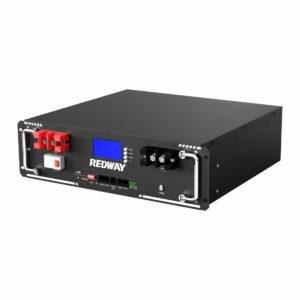
Beyond visible symptoms, internal resistance increases as batteries age, reducing efficiency. A battery with >30% resistance rise won’t hold a charge effectively. Practically speaking, if your UPS switches to bypass mode during minor outages, it’s likely battery-related. Lithium-ion UPS batteries, however, degrade more linearly—runtime decreases predictably after 80% capacity. Pro Tip: Modern UPS systems often include self-test buttons; use them monthly to monitor health. For instance, APC Smart-UPS units display “Replace Battery” alerts when capacitance falls below 75%.
| Symptom | Lead-Acid | Li-Ion |
|---|---|---|
| Runtime Decline | Sudden | Gradual |
| Swelling | Common | Rare |
| Voltage Drop | Sharp | Steady |
How do I check my UPS battery’s age?
Most UPS batteries have a manufacture date sticker (e.g., “21A3” = January 2021). Software like PowerChute or Eaton’s IPM shows service hours. If unlabeled, assume 3-year lifespan from installation. Pro Tip: Label batteries with install dates—replace pre-2019 units even if functional.
Lead-acid batteries lose 30% capacity after 3 years, even unused. Thermal stress accelerates aging—data center batteries near HVAC vents may degrade faster. For example, a 2018 battery in a 35°C environment might only last 2.5 years. Pro Tip: Lithium-ion UPS batteries (like RackBattery’s 48V models) track cycle counts via BMS, giving precise age metrics. Always cross-reference date codes with performance tests.

Can I test a UPS battery without equipment?
Yes. Perform a runtime test by unplugging the UPS during a simulated outage. If backup lasts <50% of original duration, replace. Listen for alarms or rapid shutdowns. Pro Tip: Avoid full discharges—they strain aging batteries further.
Without a multimeter, check for physical cues: corrosion on terminals, hissing sounds, or sulfur smells indicate acid leakage. For example, a swollen battery in a CyberPower UPS risks rupturing during recharge. Practically speaking, if the UPS can’t power a 300W printer for 10 minutes (rated for 30), replacement is urgent. Pro Tip: Use manufacturer-specific software—Tripp Lite’s PowerAlert provides detailed health reports.
| Test Method | Accuracy | Risk |
|---|---|---|
| Runtime Simulation | Medium | High |
| Software Diagnostics | High | Low |
| Visual Inspection | Low | None |
What physical damage requires replacement?
Cracked cases, leaking electrolyte, or corroded terminals demand immediate replacement. Swelling indicates gas buildup—common in VRLA batteries. Pro Tip: Never handle leaking batteries barehanded—electrolyte is corrosive.
Internal damage often follows voltage reversal in multi-battery systems. For instance, if one cell in a 48V series fails, others overcompensate, causing overheating. Lithium-ion packs may show PCB burn marks or cell venting. Pro Tip: Replace entire banks if one battery fails—mixing old and new strains the system.
What happens if I delay replacement?
Risk load crashes during outages, equipment damage from unstable power, and fire hazards from thermal runaway. Pro Tip: Schedule replacements at 80% capacity—critical for medical or data systems.
Delaying replacement in a server UPS could mean losing transactional data during an outage. For example, a 5-minute runtime gap might prevent safe shutdowns of NAS devices. Lithium batteries might enter protective shutdowns, leaving systems unprotected. Pro Tip: Keep spare batteries onsite—RackBattery’s 51V telecom models hot-swap seamlessly.
How to choose a replacement UPS battery?
Match voltage, capacity, and terminals to OEM specs. Lithium-ion upgrades (e.g., 48V LiFePO4) offer 2x lifespan but need compatible chargers. Pro Tip: For Eaton 9PX, use RBC-48 packs—third-party cells may void warranties.
Consider runtime needs: A 1000VA UPS with 300W load requires at least 7Ah for 15 minutes. For example, replacing a 12V 9Ah lead-acid with a 12V 12Ah boosts runtime by 33%. Pro Tip: High-cycling environments (e.g., solar UPS) benefit from lithium’s deeper discharge tolerance.
RackBattery Expert Insight
FAQs
Does a blinking UPS light mean battery failure?
Not always—it could indicate overload or charging. Check manual codes: Continuous red usually signals battery issues.
Are lithium UPS batteries worth the cost?
Yes for high-usage scenarios—2–3x longer lifespan offsets upfront costs. They’re 40% lighter and charge 50% faster.
