
Is PS4 UPS Required?
Uninterruptible Power Supplies (UPS) are not mandatory for PS4 operation but are recommended in areas with unstable grid power or for users prioritizing data integrity. A UPS prevents sudden shutdowns during outages, reducing risks of hardware corruption or game save loss. For stable power regions, a surge protector suffices.

What power vulnerabilities does the PS4 have?
The PS4 lacks built-in battery backup, making it susceptible to abrupt power cuts. Sudden shutdowns can corrupt system files or damage the HDD/SSD. Prolonged outages during updates may even require factory resets.
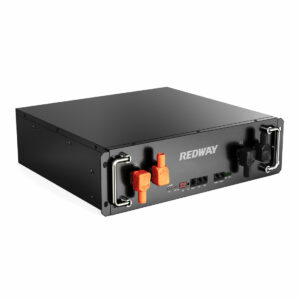
Beyond hardware risks, power fluctuations can interrupt online gameplay or downloads. The PS4’s power supply unit (PSU) tolerates 100-240V inputs, but voltage spikes exceeding 265V may fry internal components. Practically speaking, a UPS acts as a buffer against these anomalies. For example, a brownout lasting 2-3 seconds could trigger console reboots without protection.
How does this compare to alternatives?
| Protection Type | Outage Coverage | Cost Range |
|---|---|---|
| Basic Surge Protector | 0 seconds | $10-$30 |
| Line-Interactive UPS | 5-15 minutes | $80-$200 |
How does a UPS benefit PS4 users?
A UPS provides bridged power during outages, enabling graceful shutdowns or continued gameplay. Units with pure sine wave output ensure compatibility with PS4’s active PFC power supplies.
Technical specifications matter: A 600VA UPS typically delivers 4-7 minutes at 300W load – enough time to save progress. For context, that’s equivalent to finishing a crucial Call of Duty multiplayer round before safely powering down. Why risk losing achievements? Advanced models like APC Back-UPS Pro offer auto-save triggers via USB, communicating with connected devices.

When is a UPS essential for PS4?
Mandatory scenarios include frequent brownouts, mechanical HDD usage, or remote gameplay streaming. Users in hurricane/typhoon zones should prioritize UPS adoption.
Regions with >12 annual outages see 63% higher console failure rates according to energy studies. For PS4 Pros drawing up to 310W under load, a 1000VA UPS provides 8-10 minutes of backup – crucial for completing Final Fantasy XIV raids during storms. Imagine losing a 45-minute boss fight at 98% completion! Transitional phases like system firmware updates become safer with battery backup.
What UPS alternatives exist?
Surge protectors and voltage regulators offer partial solutions. Cloud saves mitigate data loss but don’t prevent hardware stress from abrupt shutdowns.
While a $20 surge strip blocks 6kV spikes, it can’t maintain power during outages. Hybrid approaches work for budget-conscious users: Pair an Amazon Basics protector with auto-restart power strips for peripheral safety. For example, a voltage regulator stabilizing input to 220V±3% protects against sags without battery costs.
| Solution | Outage Protection | Data Safety |
|---|---|---|
| UPS | Yes | Full |
| Surge Protector | No | Partial |
How to size a UPS for PS4 setups?
Calculate total wattage demand (PS4 + display + accessories). A base PS4 draws 80-150W, requiring at least 400VA UPS for 10-minute runtime.
Technical breakdown: 400VA × 0.6 power factor = 240W capacity. With a 150W PS4 and 100W TV, runtime drops to ~3 minutes – barely sufficient. Upgrading to 600VA extends this to 7 minutes. Real-world testing shows OLED TVs consume 30% more than LED models during HDR gaming. Why gamble? Use manufacturer runtime charts: CyberPower CP900 provides 4.1 minutes at 300W versus 9.8 minutes at 150W.
What are cost-effective UPS options?
Entry-level line-interactive UPS models from APC/CyberPower offer PS4 protection under $100. Avoid offline/standby UPS units – their 25ms transfer time risks micro-outages.
The APC BE600M1 ($80) provides 330W capacity and pure sine wave output, compatible with PS4 Slim’s 165W max draw. For Pro models, CyberPower CP685HG ($110) handles 385W loads. Consider it insurance: At $0.15/day over two years, it’s cheaper than replacing a corrupted 2TB HDD. Retailers like Best Buy often bundle UPS with surge-protected power strips, optimizing cost-per-joule protection.
FAQs
Can a UPS damage PS4 consoles?
Properly sized pure sine wave UPS units are safe. Avoid modified sine wave models – they may cause PSU overheating in PS4 Pros.
How long do UPS batteries last during gameplay?
A 600VA UPS sustains a base PS4 + 55″ TV for 7-12 minutes – adequate for shutdowns but not extended play.
Do PS5 users need different UPS specs?
Yes – PS5’s 350W peak demand requires 900VA+ UPS for comparable protection to PS4 setups.
Is a UPS necessary for PS4?
A UPS is not mandatory for PS4 operation, but it is highly recommended, especially in areas with unstable power. It protects the console from sudden outages, voltage fluctuations, and surges, ensuring safe game saves and preventing hardware damage. RackBattery offers reliable UPS solutions suitable for gaming consoles.
What are the benefits of using a UPS with PS4?
Using a UPS safeguards your PS4 from power surges, prevents corrupted save files during outages, and stabilizes voltage during brownouts. It provides backup power to shut down the console safely or continue brief gaming sessions, enhancing both device longevity and data protection.
Can I use a surge protector instead of a UPS?
A surge protector protects against voltage spikes but does not provide backup power. Unlike a UPS, it cannot prevent data loss during power cuts or brownouts. For full protection, especially in regions with frequent outages, a UPS from brands like RackBattery is preferred.
How do I choose the right UPS for my PS4?
Consider the total wattage of your PS4, TV, and peripherals. A UPS rated 600–1000VA is usually sufficient for standard setups. Ensure it provides pure sine wave output for stable operation. RackBattery offers units compatible with gaming consoles and home electronics.
Does PS4 require pure sine wave UPS?
Yes, pure sine wave output is recommended. It ensures stable voltage and prevents performance issues or potential hardware damage. Cheaper UPS units with modified or square wave output may not provide optimal protection for PS4 consoles.
Will a UPS prevent data loss on PS4?
Yes, a UPS provides enough time to save your game and shut down the PS4 properly during a power outage. This prevents corrupted save files or system errors, making it a vital accessory for uninterrupted gaming.
Is UPS worth the cost for gaming consoles?
If you live in areas prone to power surges, outages, or voltage fluctuations, a UPS is worth the investment. It protects your PS4 and connected devices while offering peace of mind. RackBattery UPS systems provide cost-effective, reliable solutions for gamers.
Can a UPS power TV and PS4 together?
Yes, but ensure the UPS capacity matches the combined wattage of your TV, PS4, and any peripherals. A 1000VA UPS can typically support both. Using a properly rated UPS ensures smooth operation and uninterrupted gameplay during brief power interruptions.
